Work from 2001 to 2018 · Part 2 of 12
DocMapper: The Map I Spent Six Years Drawing
My first job out of school was designing and building a radial map that drew a legal document review as clusters of concepts. Six years, five patents.
On this page
I graduated from the University of Washington’s computer science program and went straight to a small startup in downtown Seattle that helped lawyers understand tens of thousands of documents in electronic discovery cases. I was one of the first engineers there. I stayed six years, from August 2001 to October 2007.
Document Mapper, or DocMapper to everyone who used it, drew an entire legal document review as a map: every document a dot, similar documents gathered into rings, rings strung along lines of shared meaning, and the whole thing wrapped in a compass of the concepts that organised it. It became the company’s flagship product and its primary market differentiator, and it left me with five granted patents. It’s one of the three projects I’m proudest of in the portfolio this series is walking through.
The pile#
The domain was electronic discovery: when a matter goes to litigation, both sides have to hand over the relevant documents, which in practice means someone has to look at all of them and decide which ones are relevant. In 2001 “all of them” had just stopped meaning filing cabinets and started meaning mail servers. The pile was suddenly measured in millions of items, and the review method hadn’t changed at all. It was still one document, one human, one decision, over and over, in linear order, by people billing hourly.
The company’s answer was a platform called Attenex Patterns. Patterns pulled the text out of everything, ran it through linguistic analysis to extract concepts (the reviewer guide defines one as “a noun or noun phrase in the text of a document”) and gave each document a concept profile. The guide has a nice line about it: think of the profile as “an extended ‘subject line’ describing its content.” The language machinery underneath was mostly other people’s.
DocMapper was the front end for that. All the analysis in the world doesn’t help if the reviewer still has to open documents one at a time, and the map was the argument that they shouldn’t have to.
What the map actually showed#
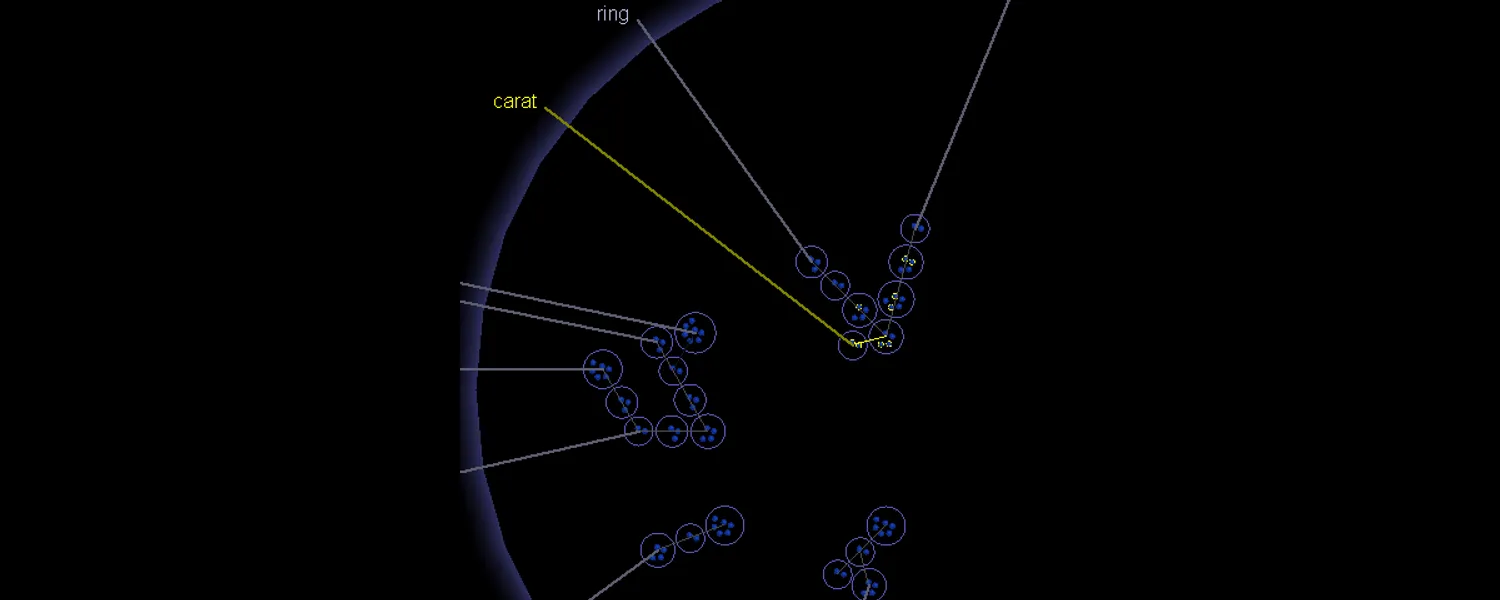
Every dot is one document, and its colour is the category a reviewer has marked it with. Documents whose concept profiles look alike are gathered into a cluster, drawn with a ring around it. A cluster isn’t a folder anyone made; the guide is careful to call it “a temporary grouping of documents based on the similarity of their concepts”, and it dissolves and re-forms every time you recluster.
Clusters that share a concept are joined by a line called a spine, “a line of clusters that share a common concept”, and a cluster sitting where two spines cross belongs to both. Hovering a cluster thickened its spine so you could see, immediately, what else was on the same thread.
Around the outside sits the concept compass: the concepts of the longest spines, positioned so that each label points along the spine it names. That ring is the part of the design I’m proudest of. You couldn’t read a million documents, but you could read a handful of words arranged around the edge of a circle, and those words told you what the collection was about before you’d clicked anything.
The layout inside a cluster wasn’t decoration either. Documents were “arranged in a spiral, based on their similarity to the center document”, so proximity meant something at every zoom level: the compass told you what the collection was about, the spine told you what a neighbourhood was about, the ring told you what a group was about, and the position of a dot inside the ring told you how typical that document was of its group.
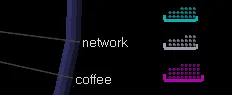
Down the right-hand side were the set-aside trays. Once you’d decided about a document, it left the map and went into a tray, so the main region always showed you only the work you hadn’t done yet.
Where the tenfold came from#
The claim we made, and the one I still repeat, is that this was roughly ten times faster than traditional review. It’s worth being precise about where that came from, because it wasn’t rendering and it wasn’t machine learning. It came from changing the unit of work.
Traditional review is one document, one decision. DocMapper’s review is one cluster, one decision. Select a ring, glance at the top concepts that pulled it together, mark the whole ring Non-responsive, sweep it into a tray, recluster, and the map redraws around what is left. Repeat until the only things still on screen are the documents that genuinely need a human to read them.
The reviewer guide put this better than any of our marketing did, and I’m quoting it here because it’s the clearest statement of the whole product I’ve ever found:
… reviewers who are wanting to eliminate large numbers of non-responsive documents from an assignment may decide to not look for the proverbial “needle in a haystack”, but instead look for entire “haystacks with no needles” …
The guide goes on to say that if a reviewer can’t make a decision about a cluster within a few seconds of looking at its concepts, they should leave it unmarked and move on. That instruction is the tenfold, written down. The map’s job was to make the easy majority of the pile obviously easy, fast, so that the expensive human attention landed only on the residue.
There was a second half to it that I liked even more. The reviewer could throw concepts away. Days of the week, phone numbers, the boilerplate at the bottom of everyone’s signature: a concept that was structuring the map without meaning anything could be dragged off the compass and dropped into a trash bin in the corner, and the next reclustering would be computed as though it had never existed. The clustering wasn’t an oracle handing down an answer. It was a knob, and the person who knew the case got to turn it.
More ways to look at the same pile#
The cluster view was the centrepiece, but a document collection has more than one shape, and the product eventually grew a view for each of them. All of them shared highlighting: search or select in one, and the matching documents lit up yellow in all the others at once.
Cluster Folders is the panel filling the right half of the first screenshot, and it’s the same map again as a folder tree: each folder group a spine, each folder inside it one cluster, labelled with its top three concepts and a count, like “ring, engagement ring, wedding band (4)”. A layout sort walks the tree in roughly the order the spines sit on the map, so the list and the picture agree with each other.
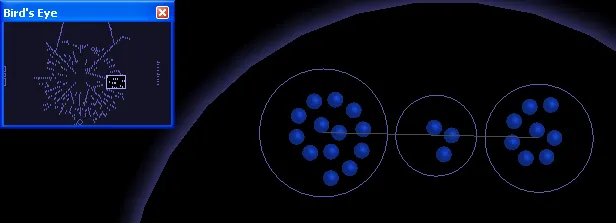
Bird’s Eye was the small always-whole-map inset, with a rectangle marking your current viewport. Click anywhere in it to jump. Unglamorous, and the piece I would keep if I could only keep one.
Timeline laid the same documents out by date: sent, received, or last modified. Drag across a range of months and those documents highlight everywhere else. It’s the view that answers “what happened in May”, which in litigation is very often the actual question.

Social Network View drew the participants instead of the documents: every sender and recipient a circle sized by volume, every pair who exchanged mail joined by a line, grey for one-way and green for two-way. It had three searches I remember with real fondness, because they encode a piece of domain knowledge directly into the UI. Find Zero Received highlights people who send but never receive, which is mostly automated mail. Find Zero Sent highlights people who only ever receive, which is mostly distribution lists. Find Single Exchanges highlights the one-off blasts copied to everybody. One menu, and each item on it deletes a large category of noise from a review.
One email, three documents#
One piece of the data model deserves its own section because it took real arguing to get right. An email with two attachments isn’t one document. Patterns split it into three, so the body and each attachment clustered on their own concepts and landed wherever they actually belonged, which was often three different places on the map. But you can’t produce half an email in litigation, so DocMapper computed a separate production mark for the compound item from the marks on its components, and that’s what governed the export. The reviewer worked at the level that made sense for reading; the export worked at the level that made sense for the law.
Building it#
The first version was raw OpenGL. Not a scene graph, not a framework. Every document in an assignment is its own primitive, and all of them had to hit the screen at an interactive frame rate on whatever workstation a law firm happened to own, which meant owning the pipeline myself. The client was C++ and MFC, with SQL underneath. Later I led the migration from OpenGL to DirectX, which bought us both performance and better-looking output, and the codebase drifted toward C# as the years went on.
Drawing the dots was easy. The hard part was that the same pixels had to carry several things at once. A cluster ring, the dots inside it, the spines running through it, the spine’s label, the concept compass behind all of it, the hover label that appears over whatever is underneath, the red and yellow rings that mark selection and search hits. Every one of those wants the same patch of screen, and a dense assignment puts thousands of them within a few pixels of each other. Draw them naively and the display turns to mud: labels sit on top of labels, a selection ring vanishes under a spine, and the reviewer can’t tell what they’re pointing at.
What we ended up with was a set of logical layers, each owning one kind of mark and stacked in a deliberate order, so that whichever mark matters most at that moment is the one you see. That’s what makes hovering a cluster feel instant and unambiguous: the label draws above everything, the spine it belongs to thickens underneath, and nothing else moves. It’s the least visible engineering in the whole product, and one of the five patents is exactly it.
Most of the six years were performance work. Not the fun kind of graphics performance either, but the kind where a reviewer opens an assignment of a size nobody tested and you spend a week in a database profiler. The résumé line for that period is “profiled and tuned application and database performance”, which is a tidy way of saying that the difference between a tool people love and a tool people are forced to use is usually a few hundred milliseconds wide.
Five patents#
Five granted patents came out of that work, all of them about the same underlying problem: how a user interface stays usable when the scene is far too dense for the screen it is on.
| Patent | Title |
|---|---|
| US 7,356,777 | System and method for providing a dynamic user interface for a dense three-dimensional scene |
| US 7,404,151 | System and method for providing a dynamic user interface for a dense three-dimensional scene |
| US 7,870,507 | System and method for providing a dynamic user interface for a dense three-dimensional scene with a navigation assistance panel |
| US 8,056,019 | System and method for providing a dynamic user interface including a plurality of logical layers |
| US 8,402,395 | System and method for providing a dynamic user interface for a dense three-dimensional scene with a plurality of compasses |
Read the titles in order and you can watch the product being invented. The dense scene comes first. Then the navigation assistance panel, which is Bird’s Eye. Then logical layers, which is the mud problem from “Building it”. Then a plurality of compasses, which is what happens when one ring of concepts isn’t enough.
I don’t want to oversell my part in these. Patents are drafted by attorneys and typically carry several inventors; what I did was author and edit the disclosures for interfaces I’d built. But the ideas in them are the ideas in the screenshots above, and I can still explain every one of them from memory, which isn’t something I can say about most documents I’ve signed.
The clipping I kept#
There’s one more file in the folder, and it’s the one I’m least certain about.
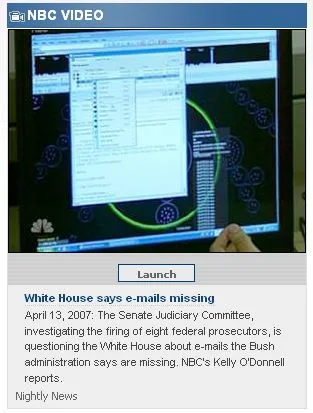
It’s a capture of an NBC Nightly News item from April 2007 about the Senate Judiciary Committee’s investigation into missing White House emails.
What I took from it#
Three things, and I’ve used all of them since.
The first is that the way to make a large collection tractable is to change the unit of work, not to speed up the existing unit. Faster document-by-document review would have been a rounding error. Reviewing a haystack at a time was a different order of magnitude.
The second is that a visualization has to admit what it doesn’t know. Zero Concepts, Limited Concepts, Miscellaneous Files, sitting there in their own squares: that’s a system showing its own coverage, and I’ve never regretted building that into anything.
The third is the concept trash bin. The clustering was good, but the person looking at it always knew something the clustering didn’t, and giving them a way to say so (drag the useless concept off the compass, recluster, watch the map reorganise) is what made it a tool rather than a verdict. Nearly twenty years later that’s still the property I look for first in anything that puts a model between a person and their data.
The next post in this series jumps forward to 2008, and to a very different kind of pile: the Bing results page.