Sierra Games · Part 1 of 3
Upscaling Sierra SCI0 PIC: the native render oracle
How snap-blend upscales Sierra SCI0 vector backgrounds without leaking flood fills, using a native-resolution render as the oracle for every scaled fill.
On this page
Sierra On-Line’s SCI0 engine draws backgrounds as vector commands: lines, patterns, and flood fills executed in sequence at 320x190. It works perfectly at native resolution. But render those same commands at 2x, 3x, or higher? Fills leak through hairline gaps that didn’t exist at 320 pixels wide.
This is the problem snap-blend solves.
The problem#
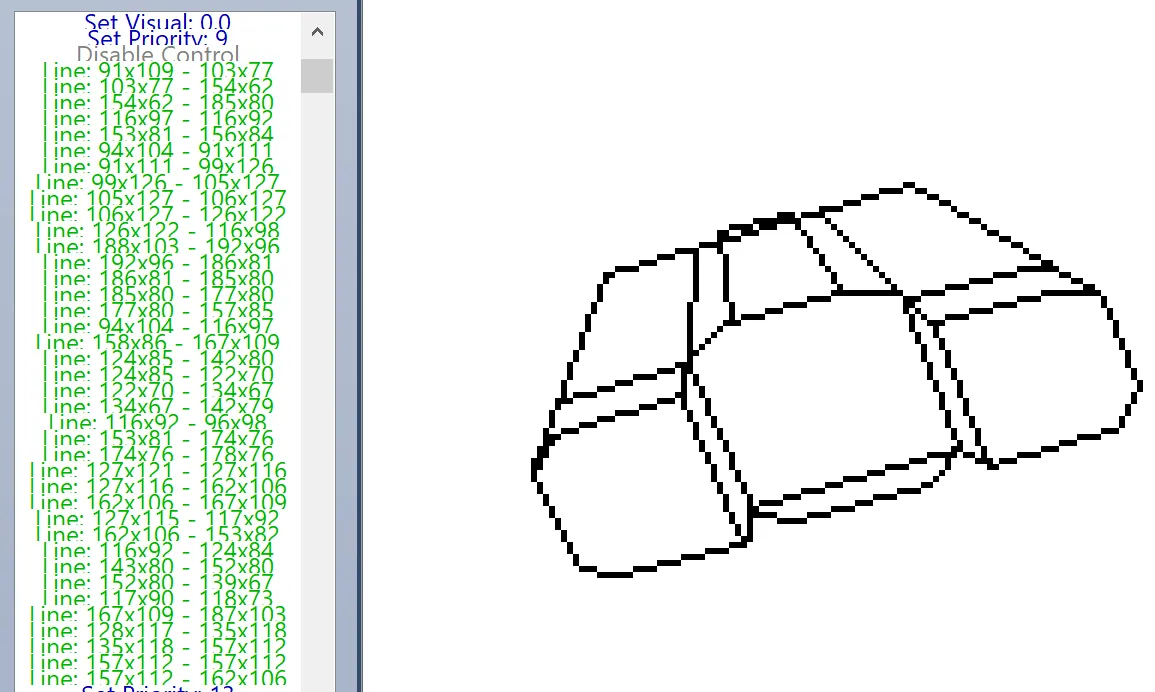
SCI0 PICs aren’t rasterized images; they’re programs. A PIC resource is a stream of drawing commands: draw a line here, fill this region there. The fill commands depend on boundaries being watertight. At native resolution, the integer-coordinate Bresenham lines form perfect barriers.
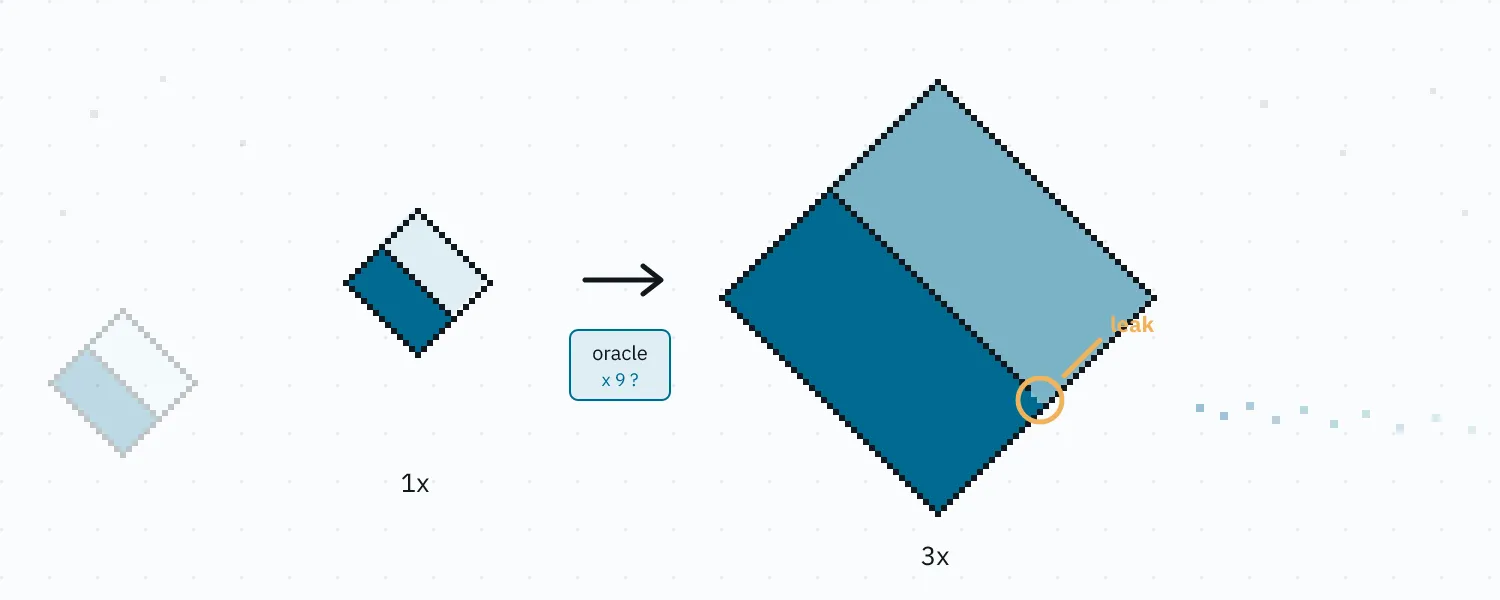
Scale everything up and suddenly there are fractional-pixel gaps where fill ink escapes into neighboring regions, corrupting the image. Scaling can also fragment boundaries, causing fills to terminate early or leave holes.
A simplified PIC command stream looks something like this:
SET_VISUAL_COLOR 0x03        // dark cyan
// Diamond
DRAW_LINE (160, 40) → (240, 95)
DRAW_LINE (240, 95) → (160, 150)
DRAW_LINE (160, 150) → (80, 95)
DRAW_LINE (80, 95) → (160, 40)
// Line intended to bisect the Diamond
DRAW_LINE (120, 68) → (200, 123)
FILL (160, 95)               // flood fill stays bounded
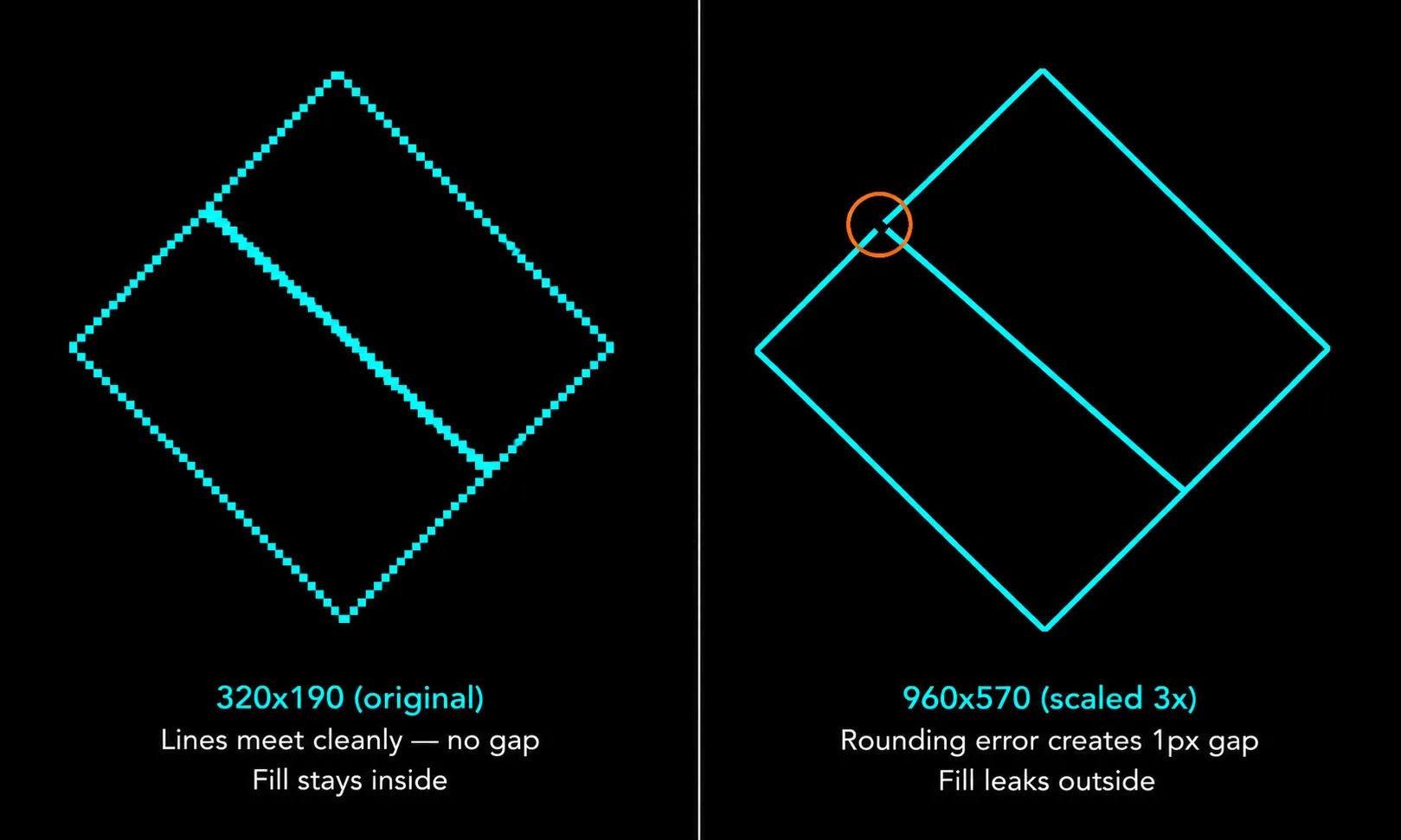
At 320x190, the rasterized lines happen to touch cleanly, so the shape remains sealed and the fill stays inside.
Scale the same geometry to 960x570, however, and the independently rounded midpoint coordinates may no longer land exactly on the scaled diagonal edges. That can create a one-pixel gap at the junction, allowing the flood fill to escape and flood the entire canvas.
Existing solutions don’t help. ScummVM and SCI Companion render at native res. Pixel-art upscalers (Scale2x, hqx, xBR) operate on finished rasters; they can’t fix a fill that leaked during rendering. Upscaling after rasterization preserves correctness, but introduces uneven line thickness and edge wobble. The problem has to be solved inside the renderer.
Snap-blend fixes this by altering the rendering directly.
The approach#
snap-blend combines several techniques into a pipeline: a native-resolution pass first, then a scaled pass that the native result supervises fill by fill.
1. Endpoint snapping and seed nudging#
Line endpoints snap to nearby already-drawn boundary pixels: a scan around the scaled endpoint, under a small distance budget and a directional cone, finds an existing pixel to land on, so scaled lines actually touch the boundaries they were drawn to meet.
function snapEndpoint(x, y):
    // scan a small radius around the scaled endpoint for an
    // already-drawn pixel, within a distance budget and a
    // directional cone; snap to the closest hit, else keep (x, y)
Fill seeds get the mirror treatment. At scale, boundary lines are thick enough to cover a seed’s coordinates, and a fill seeded on a boundary paints zero pixels, the single biggest failure class the oracle exposed. Seeds are nudged off boundaries before the fill runs.
2. Diagonal micro-gap closure#
A morphological pass detects and closes single-pixel diagonal gaps that form at scaled line junctions. These are the most common leak source.
// scan for diagonal gaps in the boundary mask:
//   . X      X .
//   X .  or  . X
// if found, fill one pixel to close the gap
for each pixel (x, y) in boundaryMask:
    if isEmpty(x, y) AND isBoundary(x-1, y-1) AND isBoundary(x+1, y+1):
        boundaryMask[x, y] = FILLED
    if isEmpty(x, y) AND isBoundary(x+1, y-1) AND isBoundary(x-1, y+1):
        boundaryMask[x, y] = FILLED
The pass is a two-pixel test: an empty cell whose diagonal neighbours are both boundary gets filled, which is enough to seal the junction.
3. Native render oracle#
The renderer first builds a native-resolution reference render and uses it to validate each scaled flood fill. Instead of predicting where scaling errors might occur, snap-blend renders once at native resolution and uses that output as ground truth.
// Phase 1: render at native res to build the oracle
nativeCanvas = render(picCommands, scale=1)
for each FILL command[i]:
    expected[i] = countPixelsFilled(nativeCanvas, command[i])

// Phase 2: render at target scale, supervised by the oracle
scaledCanvas = createCanvas(320 * scale, 190 * scale)
for each command in picCommands:
    if command is DRAW_LINE:
        drawSnappedLine(scaledCanvas, command, scale)
    if command is FILL:
        closeGaps(scaledCanvas)  // micro-gap closure pass
        limit = expected[i] * scale * scale * MAX_OVERSHOOT  // 5.0
        actual = guardedFloodFill(scaledCanvas, command, limit)
        // the guard aborts and unwinds the fill mid-flood if it
        // passes the limit, or 40% of the whole screen

        if actual == 0 AND expected[i] > 0:
            // rolled back, or the seed never produced a pixel
            blitNativeMask(scaledCanvas, nativeCanvas, command, scale)
        // undershoots are kept as-is
If a fill blows far past its native-predicted area, it’s a leak; the guard unwinds it mid-flood rather than letting it flood the canvas. The native render acts as an oracle supervising the upscaled render. Undershoots are tolerated: thicker upscaled lines eat fill area by construction, so a somewhat-small fill is expected physics at scale, not a leak.
4. Native-mask fallback#
When a fill ends with zero pixels (rolled back by the guard, or its seed never produced one) while the native render says the region should have some, the corresponding region from the native render is nearest-neighbor-scaled and composited in. Correctness is preserved at the cost of sharpness in that region, but in practice, fallback fires rarely.
function blitNativeMask(scaledCanvas, nativeCanvas, fillCmd, scale):
    // find the filled region in the native render
    mask = extractFillRegion(nativeCanvas, fillCmd)
    // nearest-neighbor upscale the mask
    upscaled = nearestNeighborScale(mask, scale)
    // composite into the scaled canvas
    composite(scaledCanvas, upscaled, fillCmd.color)
5. Dither-to-RGBA blending#
A cosmetic post-process. SCI0 uses dithered patterns to simulate colors beyond the 16-color EGA palette. The blend pass resolves these into smooth RGBA values for the browser renderer.
// SCI0 stores each pixel's dither pair in its byte: (high << 4) | low
// e.g. 0x3b = cyan (0x3) + light cyan (0xb), drawn as an
// alternating checkerboard at native resolution
//
//   C L C L        blended:
//   L C L C   →    every 0x3b pixel becomes the same
//   C L C L        perceptual mix of the pair
//   L C L C

// No pattern detection needed; the byte itself names both colours.
for each pixel byte in output:
rgba = BLEND_TABLE[byte] // precomputed okLab mix of the pairThis produces output that looks cleaner on modern displays without altering the underlying data.
What’s novel#
None of the individual techniques are new. The interesting part is combining them into a supervised rendering pipeline where the native render validates the scaled one.
I haven’t seen this approach used in retro vector renderers before. The problem domain is niche, but the pattern generalizes. Any format where vector drawing commands produce resolution-dependent fill boundaries could benefit: AGI-era Sierra games, LucasArts SCUMM backgrounds, or other retro engines with interleaved draw/fill command streams.
Results#
Across the test corpus at 6x, snap-blend produced no catastrophic fill floods: escapes are caught mid-fill, rolled back, and recovered from the native mask. The flagged fills that remain are overwhelmingly small boundary-thickness undershoots, plus a handful of guarded micro-gap escapes the rollback contains. The blend pass is purely cosmetic: same correctness, nicer pixels.
It’s the production strategy (registered as snap-v5-blend) for my sci.js project, a TypeScript reimplementation of the SCI0 engine focused on making Space Quest 3 playable in the browser with upscaled visuals, built on 32bitkid’s @4bitlabs decoding libraries.
Each comparison below sweeps between the two renders of one Space Quest 3 room.
Upscaled animation overlays#
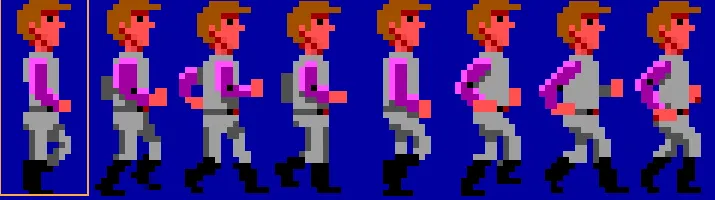
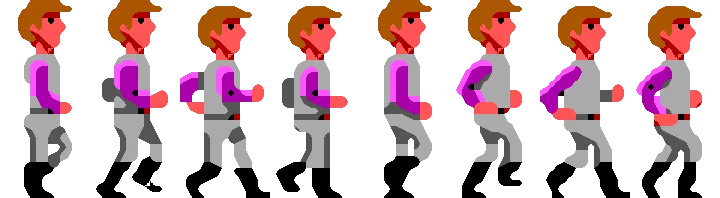
One practical extension is compositing higher-resolution animated elements on top of snap-blend backgrounds. Because snap-blend produces clean, stable regions, it makes a reliable base layer; animated sprites, whether traditionally upscaled or AI-enhanced, composite on top as a separate overlay. In motion the eye forgives minor inconsistencies in sprite detail but not structural errors in the background, so as long as the underlying regions are correct the result reads as coherent. Keeping the background deterministic also sidesteps the hardest problem in AI upscaling, frame-to-frame consistency: enhancement is limited to the overlay, so temporal artifacts never compound.
The future#
Once the renderer became structurally reliable, the next question was how far visual enhancement could go without breaking correctness.
AI upscaling looks like an obvious shortcut. Take the original 320x190 output, run it through a modern image model, and get something that looks like a painted remake.
That works for screenshots. It breaks down for a renderer.
SCI0 backgrounds are not just images, they are structured scenes with implicit gameplay constraints. Walkable areas, object boundaries, and interaction zones all depend on the exact shape of regions. Because generative models can shift those boundaries unpredictably, AI is better treated as a constrained enhancement layer on top of a deterministic renderer.
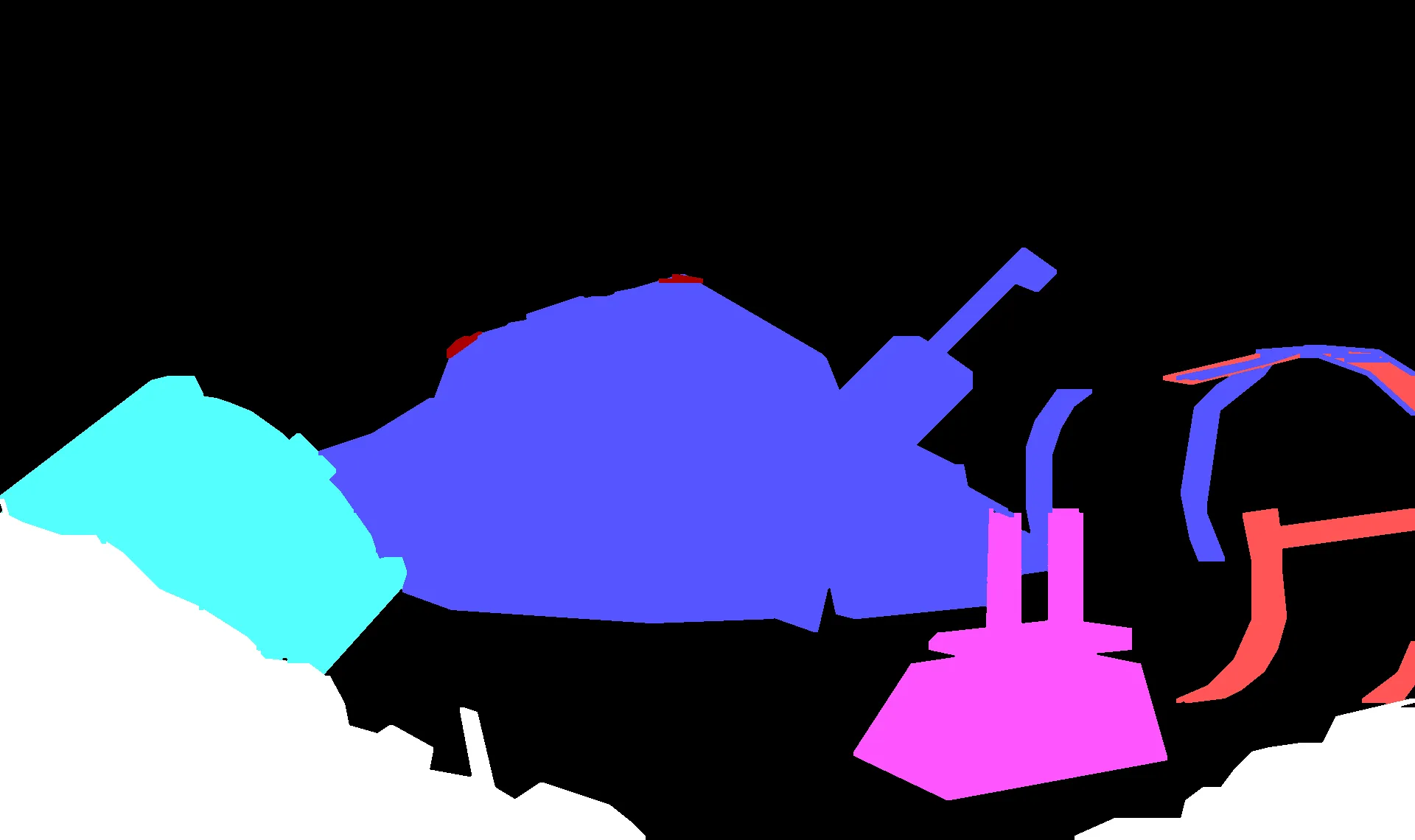
The priority map, below: different colors tell the engine if the avatar should be seen in front or behind them.
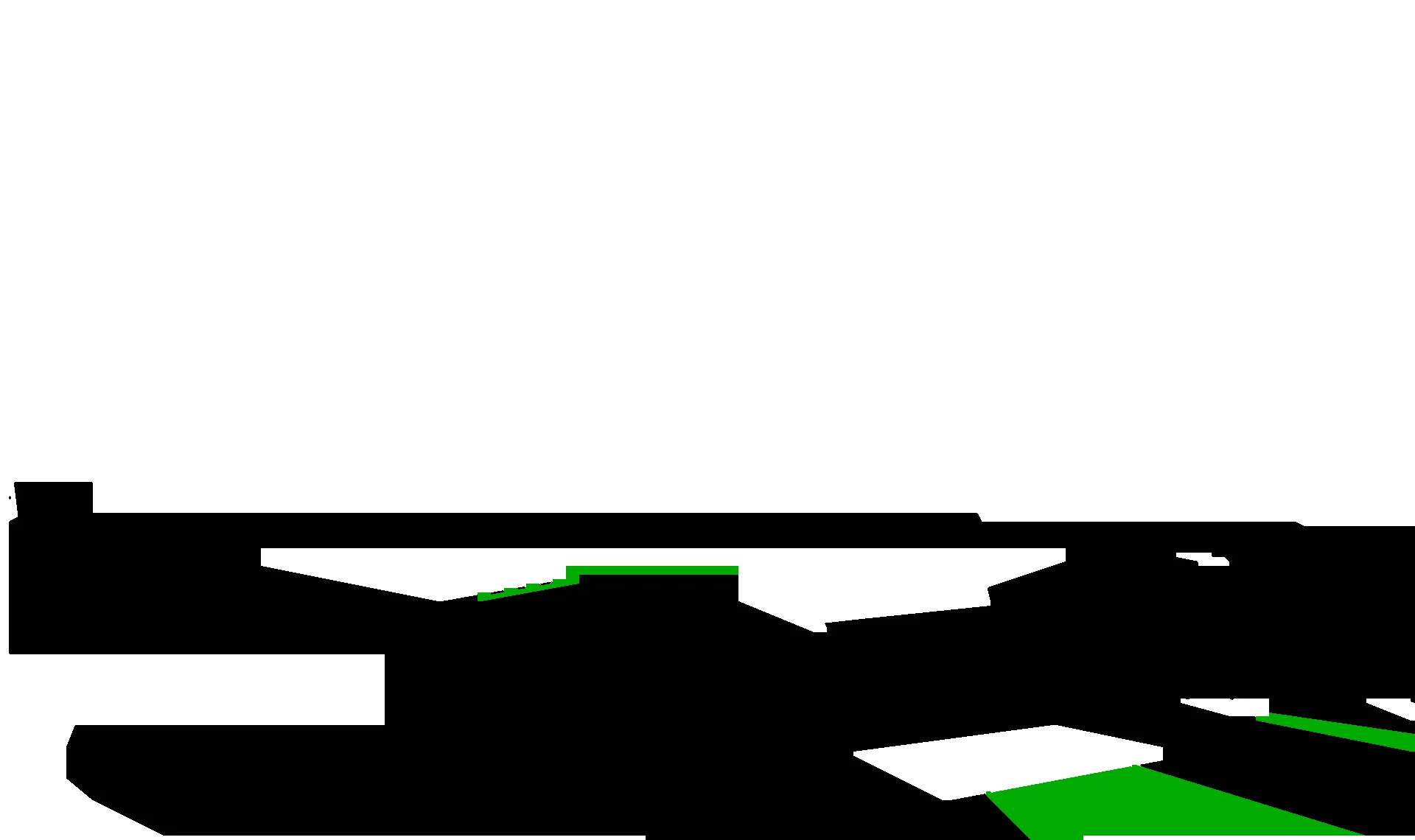
The control map, below: white areas block the avatar. Black areas are walkable with no trigger. Any other colour is walkable and triggers an event when walked over.
The road here#
This was strategy v5 out of ten attempts. Strategies v1 through v4 each solved part of the problem (better line expansion, smarter gap detection) but none handled the full space of edge cases. The native render oracle was the breakthrough: instead of trying to predict where gaps would form, just render at native res first and let the result tell you what’s correct. v6 through v10 explored alternatives; v10 even improved the metric slightly, but not visibly enough to earn a switch; that detour has its own write-up. And one successor isn’t a snap variant at all: the anchor-graph upscaler, a separate paradigm that has since won the PIC visual path. snap-v5-blend remains the game-runtime strategy, because the anchor-graph renderer doesn’t produce the priority and control layers the engine needs.
Sometimes the best algorithm is “do it twice (or ten times) and compare.”