Work from 2001 to 2018 · Part 9 of 12
The Explorers We Built to Understand Our Own Data
Four small internal tools from PrecisionDemand and AOL, none of them shipped products, all built to poke at a dataset until it made sense.
On this page
Not everything I built at PrecisionDemand and AOL was a product. Some of it was just me, handed a new pile of data, building the smallest interface that would let me look at it. None of these four shipped to a customer. All four exist because I couldn’t understand a dataset by staring at rows of it, and building a small explorer was faster than not understanding it.
Adsplore: scoring 10,739 ads for fit#
Adsplore is a wizard: pick some brands, pick some target audiences, and it hands you every TV ad those brands ran, scored from −1 to +1 for how well it targeted the population you picked. One run in the screenshots below pulled 10,739 ads. Crossfilter-style charts break the set down by daypart, network, market, program, genre, and where the ad sat in its commercial pod, and clicking any of them filters all the others live.
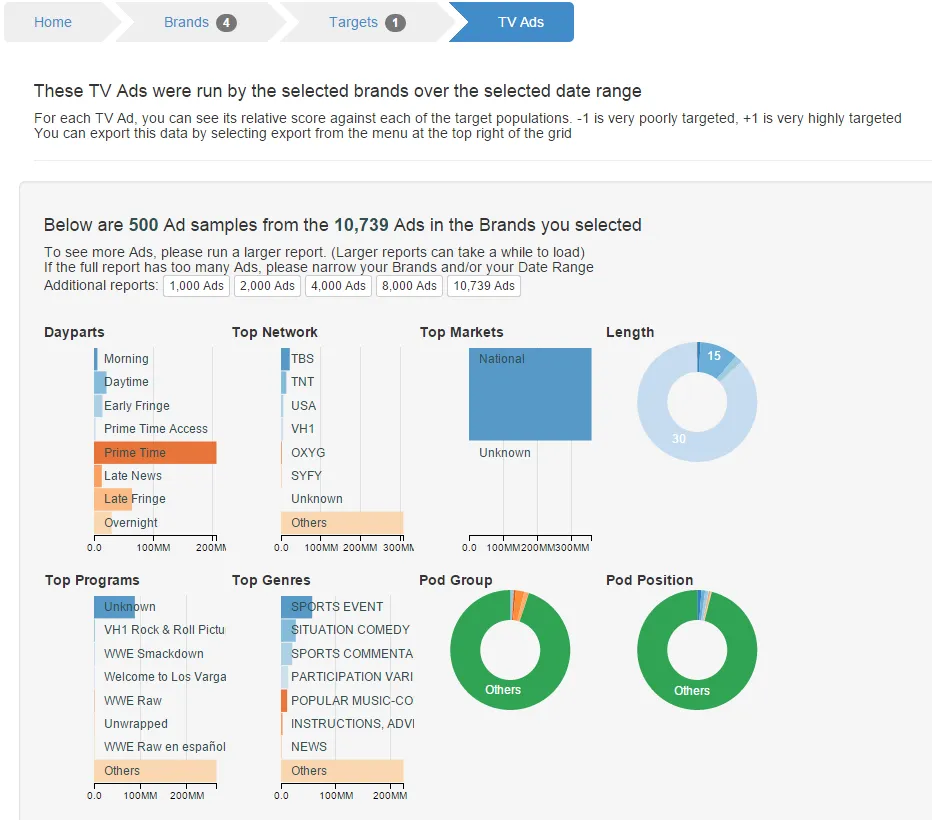
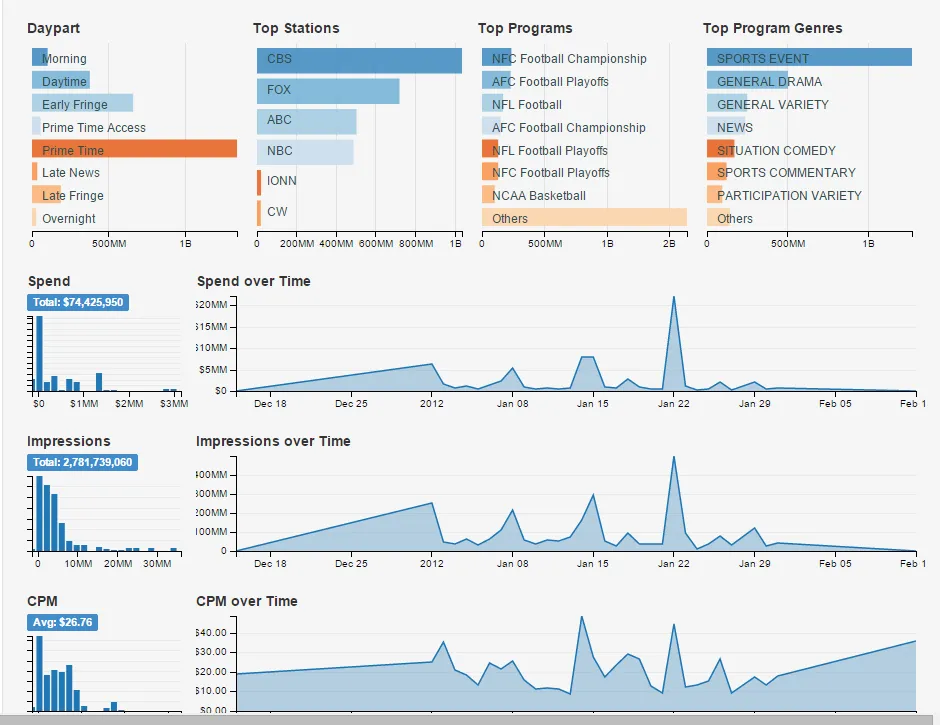
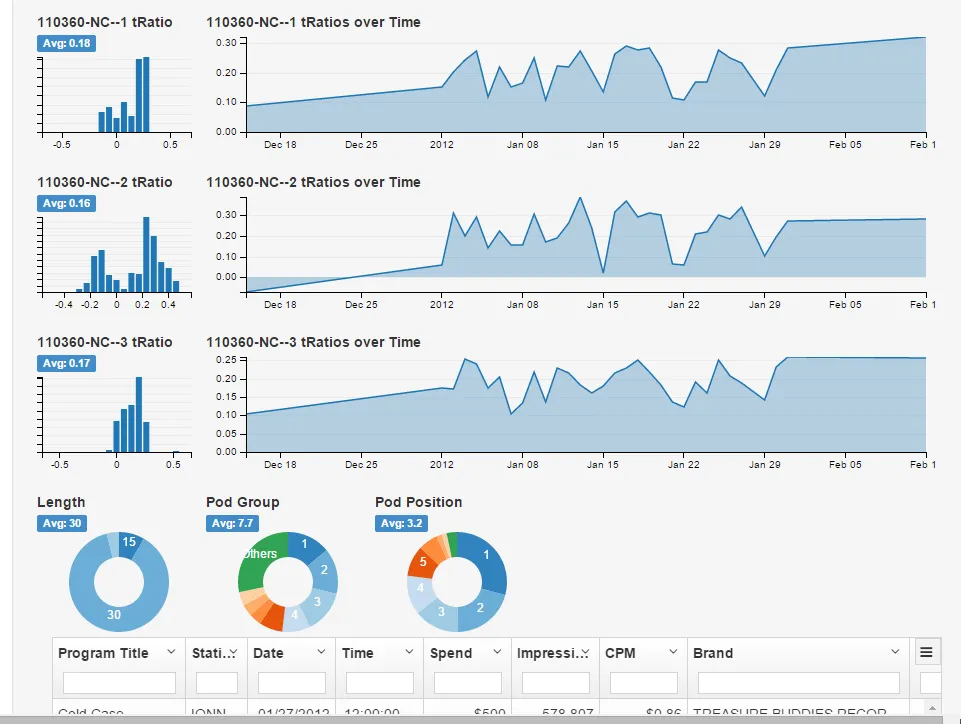
It was a demo, built to see whether we could actually make sense of a brand’s TV buy at that granularity, not something a client clicked through themselves.
Package Compare: putting media buys side by side#
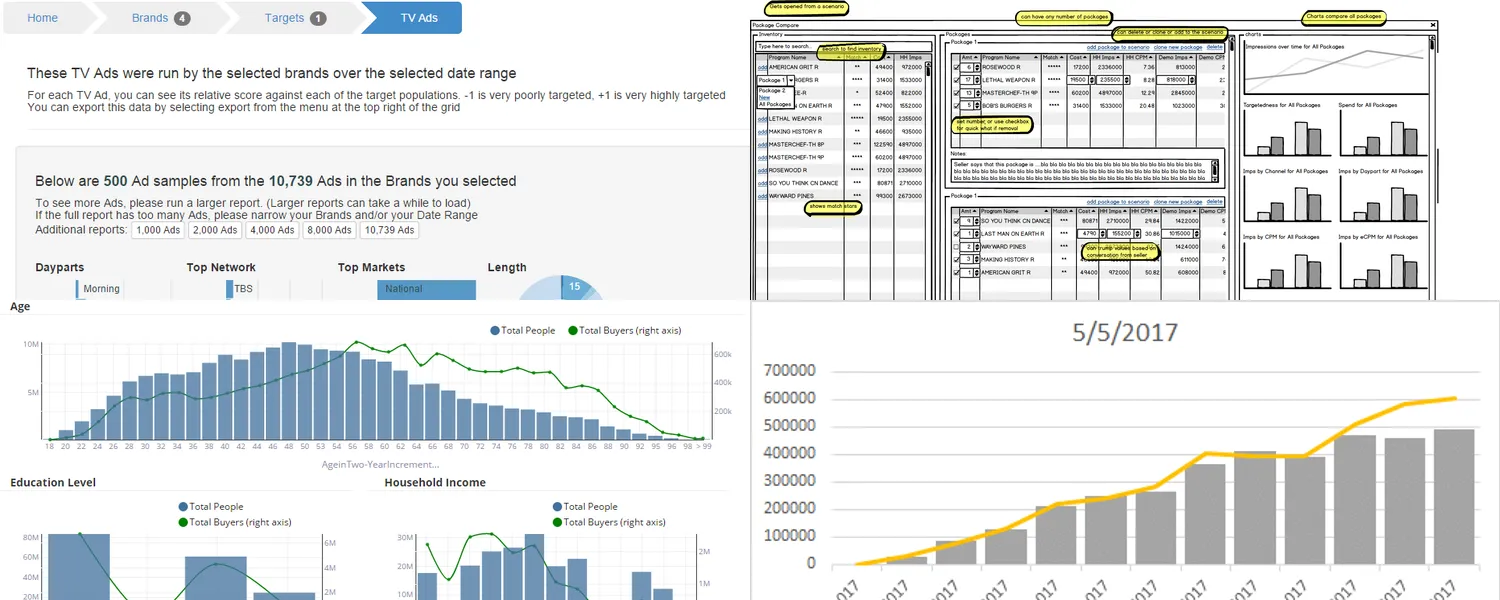
Package Compare answers a narrower question: given two or more candidate media packages, which one actually performs better against the numbers that matter: targetedness, spend, impressions by channel, daypart, CPM, eCPM, GRPs? The tool lets a planner build several packages from an inventory list, adjust cost and impression numbers per line, and see every package compared on the same set of charts at once.
The yellow callouts on this one are mine: Balsamiq-era annotations explaining the tool to whoever I was showing it to, not a real product spec.
Population Reporting: total people vs. total buyers#
The main view compares two curves across four demographic cuts (age in two-year increments, education
level, household income, and home market value): one line for how a population is distributed,
another for how buyers of a given target are distributed against it. The field names underneath
(Income-EstimatedHouseh…, HomeMarketValue) trace back to the same licensed consumer data,
Acxiom-lineage, that powered targeting elsewhere in the platform. The other screens are per-target
reports (key totals and a tRatio distribution for a single target like PMIC Life), a Target Planner
with gender and ethnicity donuts over an age histogram, and vehicle-ownership charts above the raw
population table.
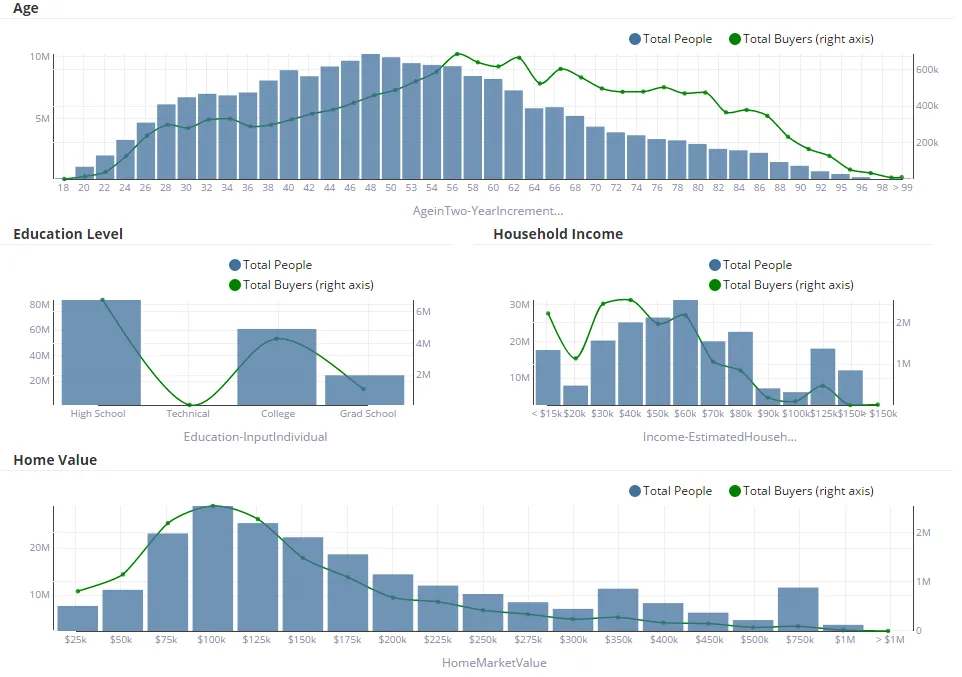
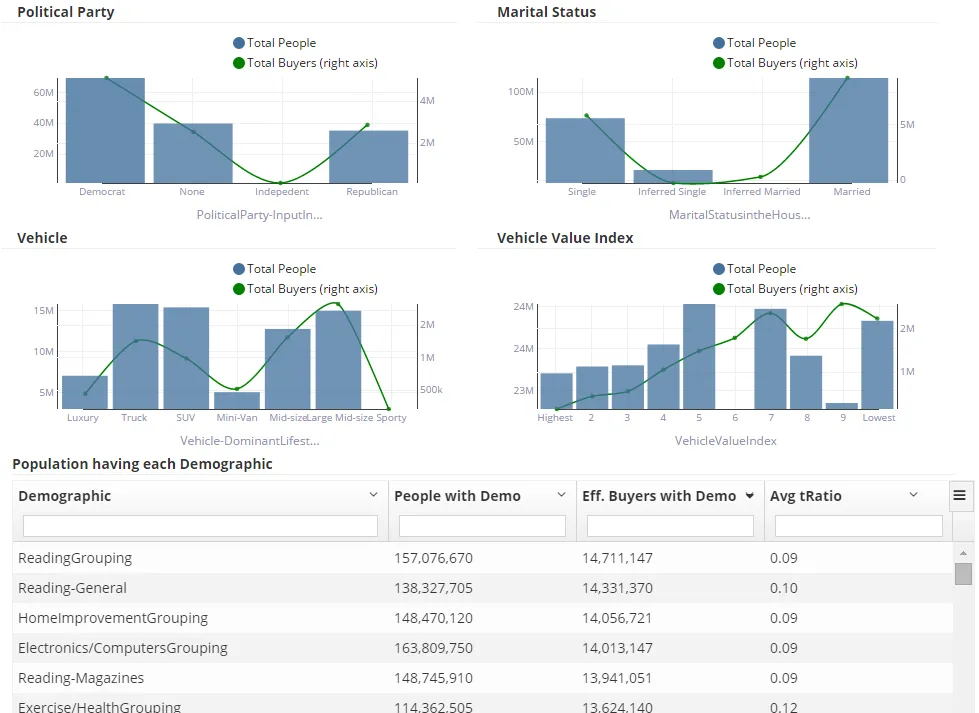
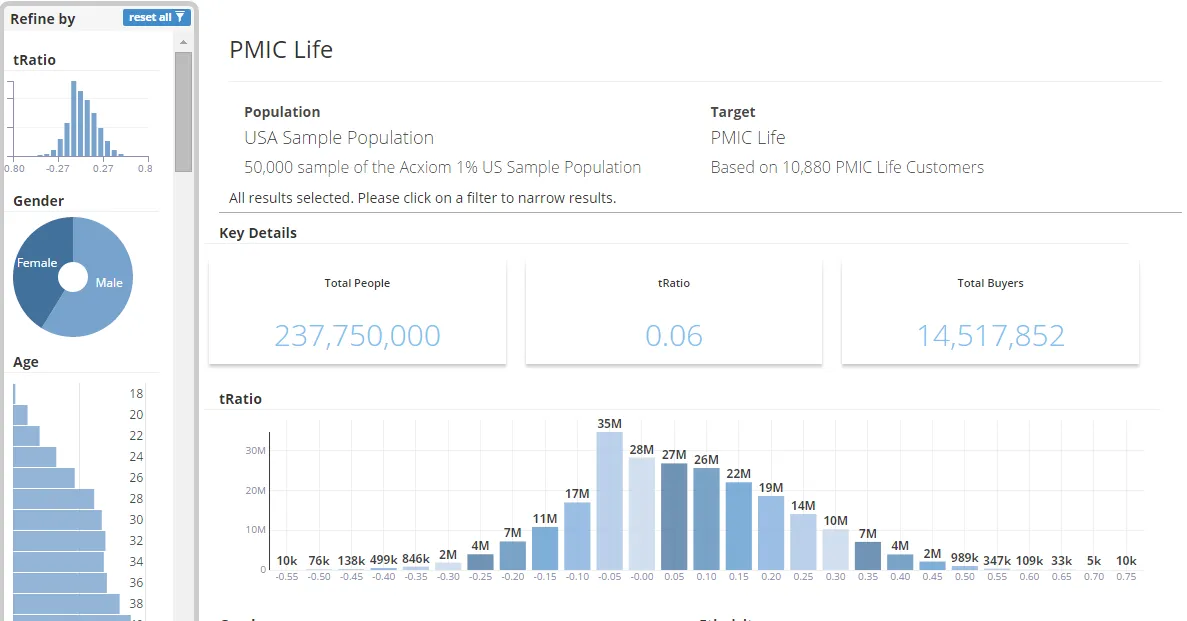
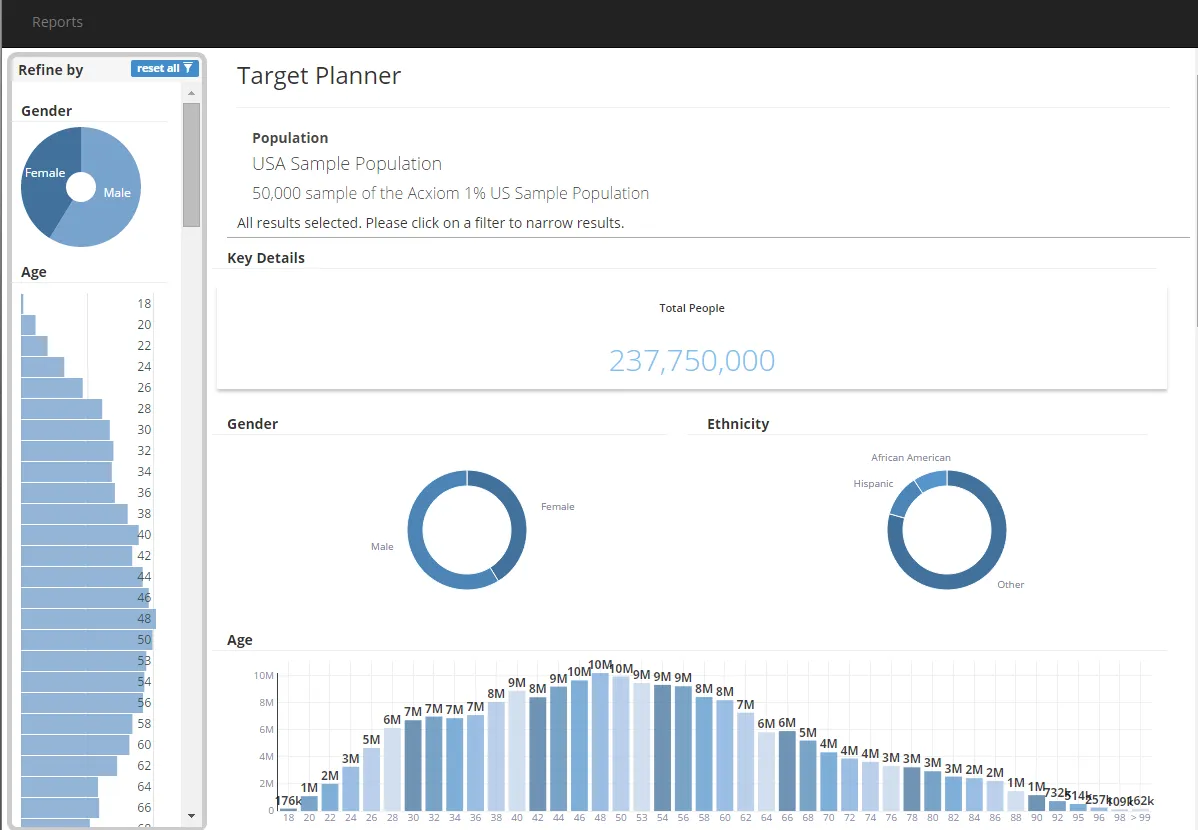
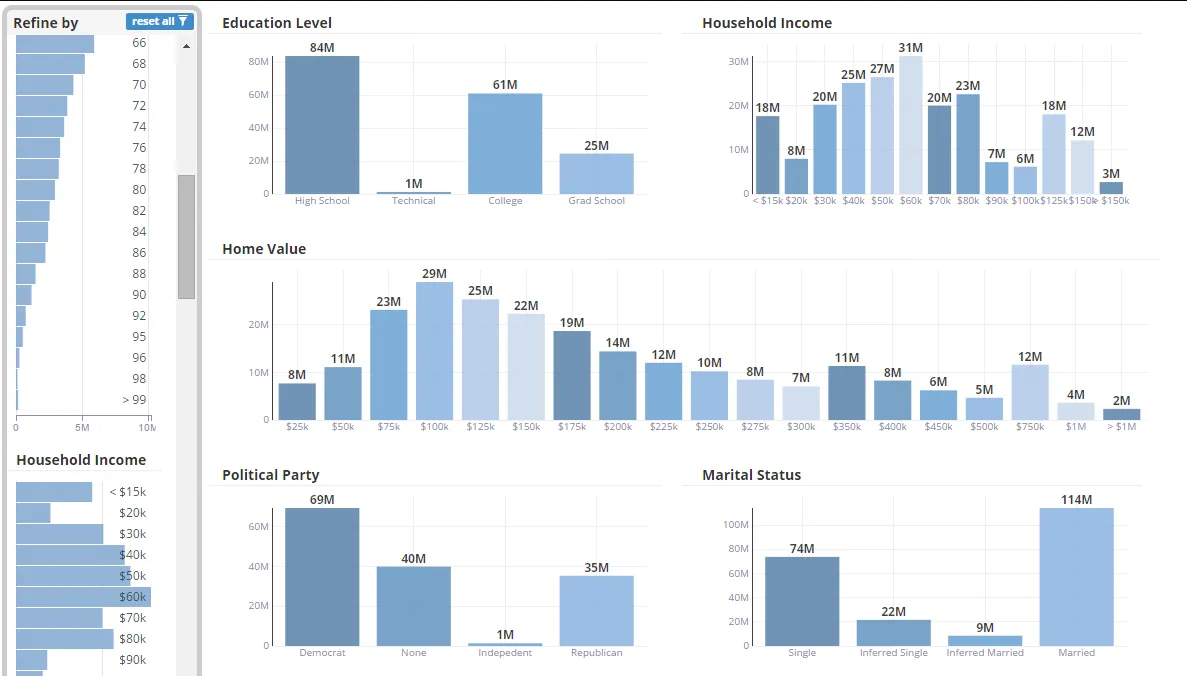
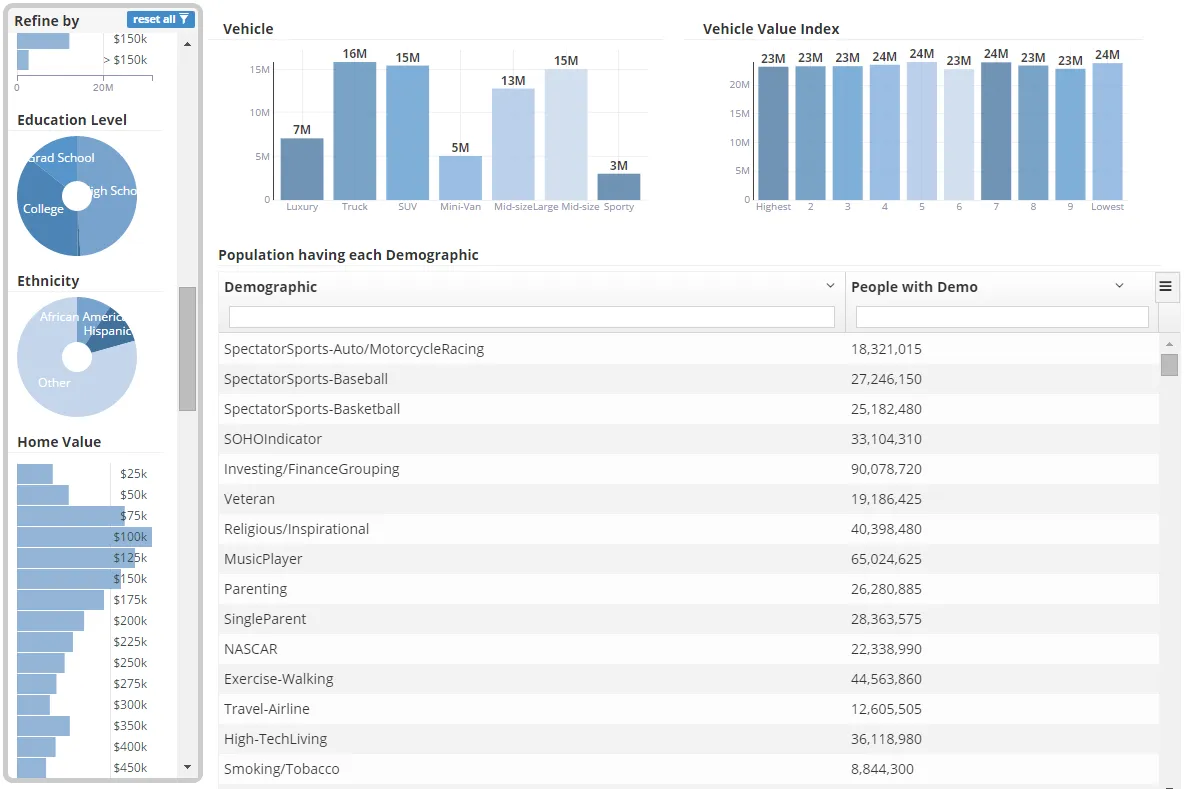
Where the other three tools are about a campaign or a buy, this one is about the audience itself: a way to see whether a target population actually looks different from the general population, and where.
Campaign Reporting: pacing against a plan#
The last of the four tracks delivery against a media plan while a campaign is running: weekly impressions stacked as confirmed, preliminary, and projected, against an expected line the plan committed to. The capture below steps through the weekly reports from 5/5/2017 to 8/4/2017, so you can watch grey projected bars turn orange and then blue as the flight actually delivers, squarely inside the ONE TV era at AOL.
A detour, August 2014#
One more, from the same instinct but a different occasion. Right after AOL bought PrecisionDemand, there was an Adap.tv hackathon, and we built a thing called Soda War: a D3 map of the United States with a circle at every market, sized by spend, red for Coke and blue for Pepsi, and a slider that ran twenty-four hours of it forward. The page still runs, so rather than a screenshot, here is the page itself: press Play, or drag the slider yourself:
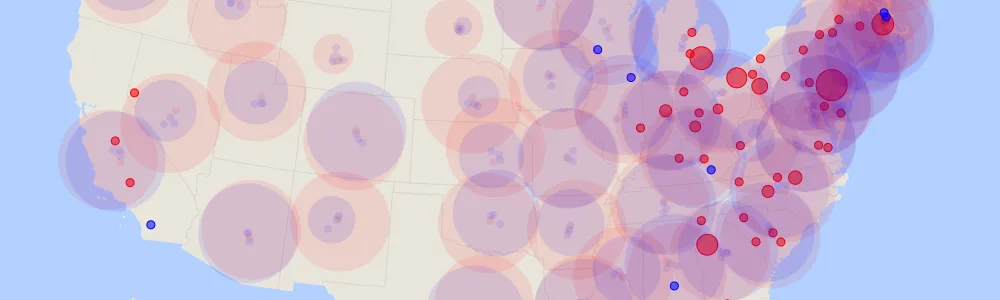 Load the real 2014 demo (about 3 MB of data)Hide the demo
None of these were pitched to anyone outside the building, the map included. The explorers were how I answered my own question, “what does this data actually look like?”, before building the thing that used it; Soda War was the same instinct with a scoreboard and a deadline attached.